Sending Source Management
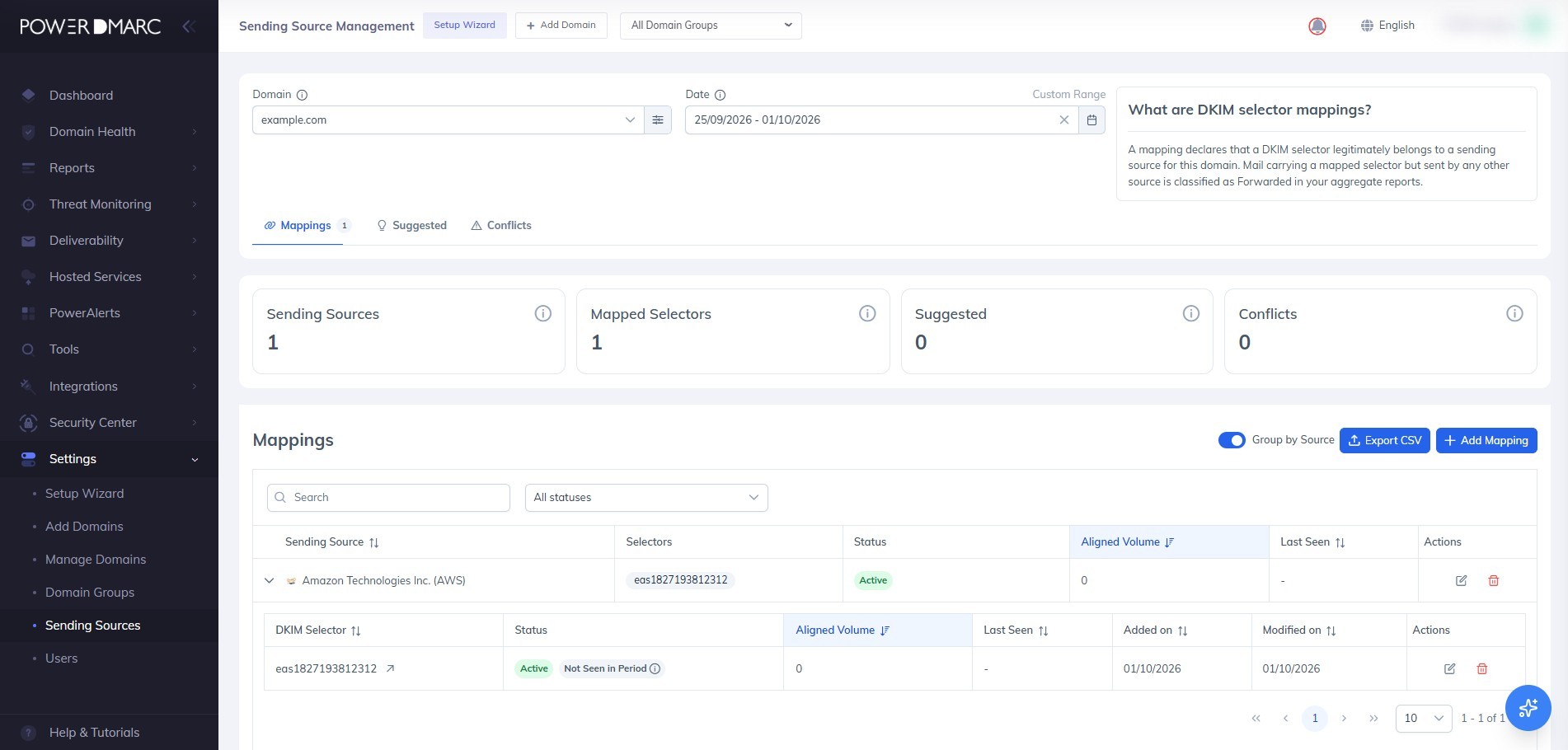
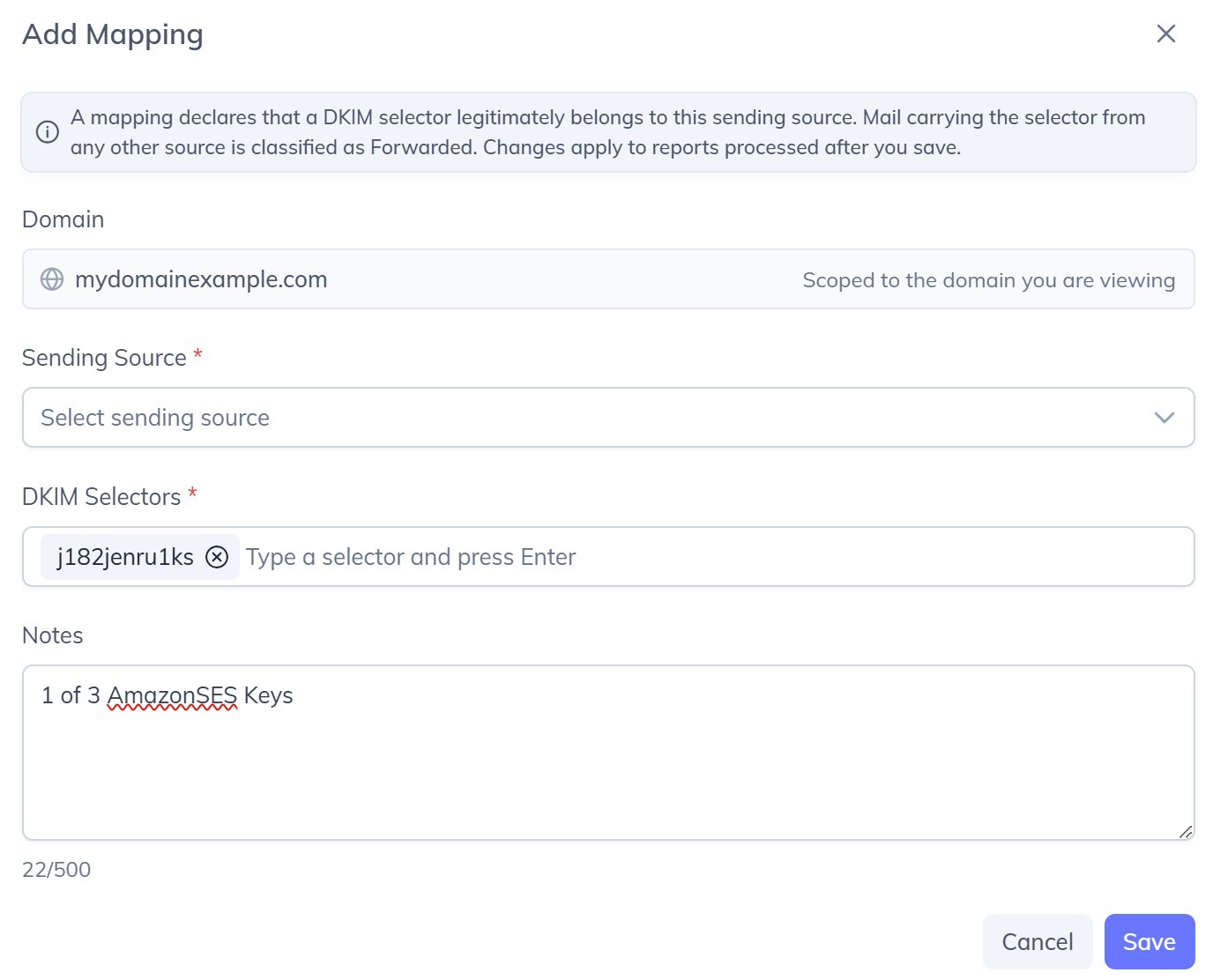
Ability to map each DKIM Selector to its relevant Sending Source in order to better track forwarded emails Head to Settings, Sending Sources. Pick a domain, then add a mapping: choose the sending source, type in one or more DKIM selectors, and add a note if it helps your team remember why. From then on, mail carrying that selector from any other source is classified as Forwarded, so legitimate forwarded mail stops masquerading as an unknown sender. The page shows you: Every mapping on the domain, grouped by sending source and expandable down to individual selectors Aligned volume and when each selector was last seen, scoped to whatever date range you choose A flag when a mapped selector has not been seen at all in the selected period Export to CSV for anything you want to take away One thing to know: mappings apply to reports processed after you save them. Reports already processed are not reclassified.