DNS Timeline Record Snapshots
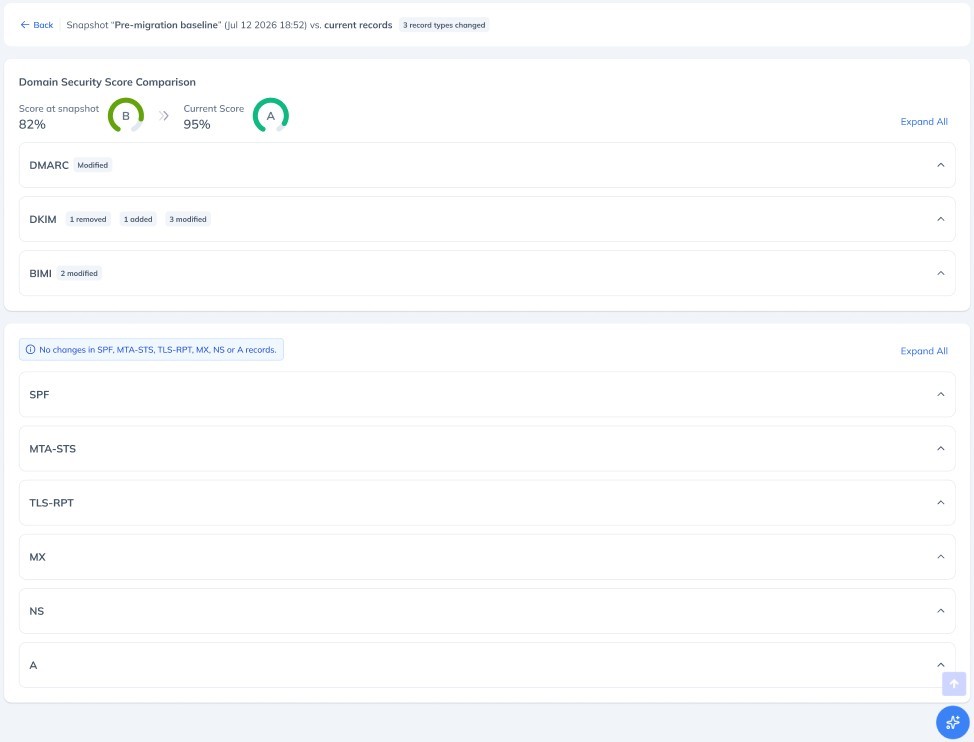
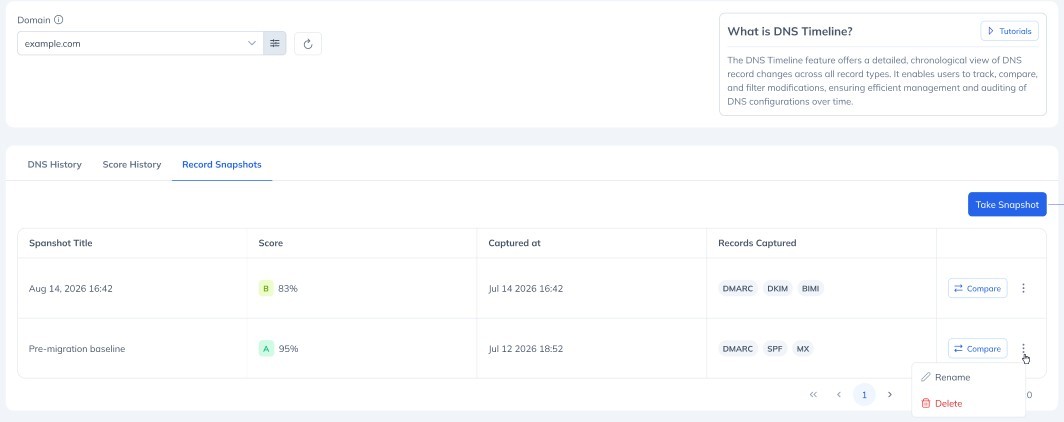
After a migration, a vendor change, or an unexpected configuration edit, the question is always the same: what actually changed? You can now capture a point-in-time snapshot of your monitored DNS records and keep it as a known-good baseline, then compare your live records against it instead of relying on memory or a spreadsheet. What you can do: Take a snapshot of all monitored records across nine record types in one click: DMARC, SPF, DKIM, BIMI, MTA-STS, TLS-RPT, MX, NS and A Find your saved snapshots in a new Snapshots tab, next to Score History Give a snapshot a meaningful label, such as "Before Google Workspace migration", either when you take it or later Compare any snapshot against your current live records using the existing Differ, with added, removed and changed entries highlighted per record type See your Domain Security Score at the time of the snapshot next to your current score, so you can read the movement before you scan the detail Each domain holds up to two snapshots. Taking a third replaces the oldest, and we always confirm which one is about to go before it happens.