ImprovementSep 17, 2026
Inbox Placement Analyzer - Tracking ID
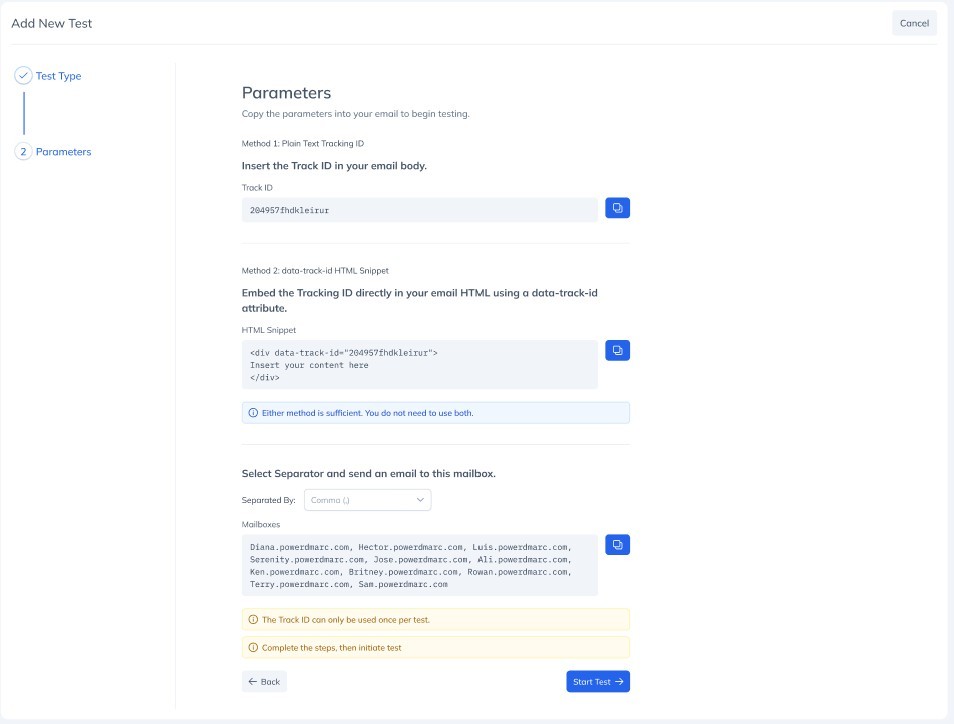
Inbox placement tests match your email to the right test run using a Tracking ID. Until now, that ID had to appear in your email as plain readable text. You can now embed it directly in your HTML instead, which fits far better with automated campaign templates. What you can do: Add a data-track-id attribute to any element in your email HTML and we will pick it up automatically Copy a ready-made snippet, pre-filled with your actual Tracking ID, straight from Step 3 of the test creation wizard Both methods are optional and fully independent. Either one on its own is enough to match your email to its test, and nothing changes about the plain text method if you prefer to keep using it.