Inbox Placement Analyzer - Content Analysis
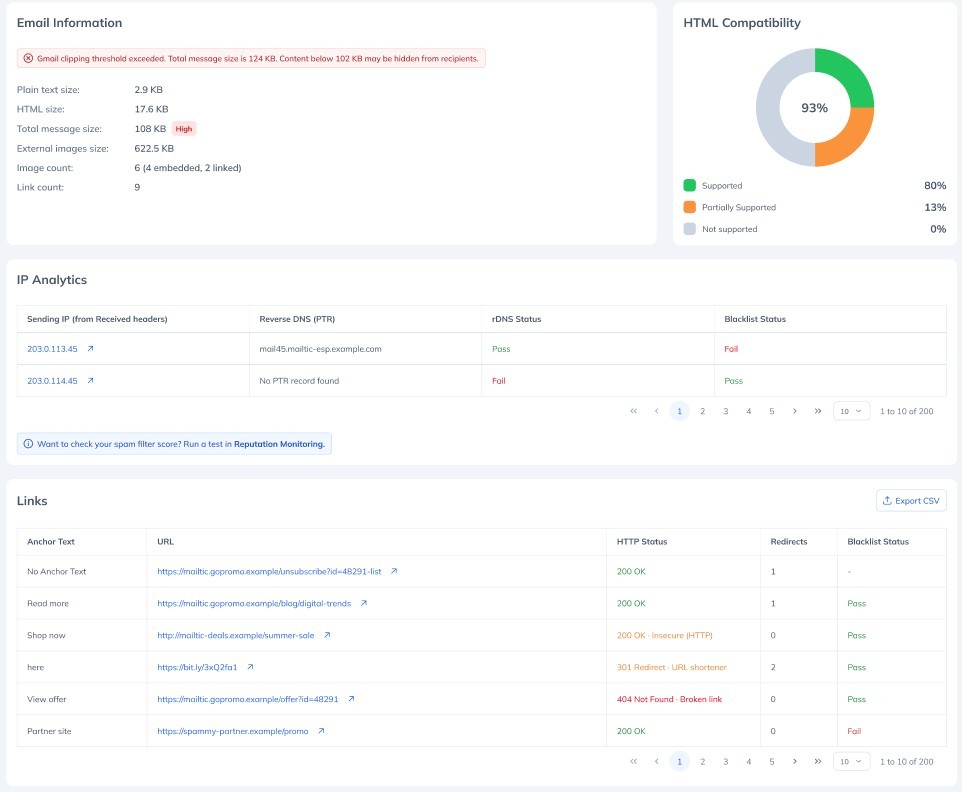
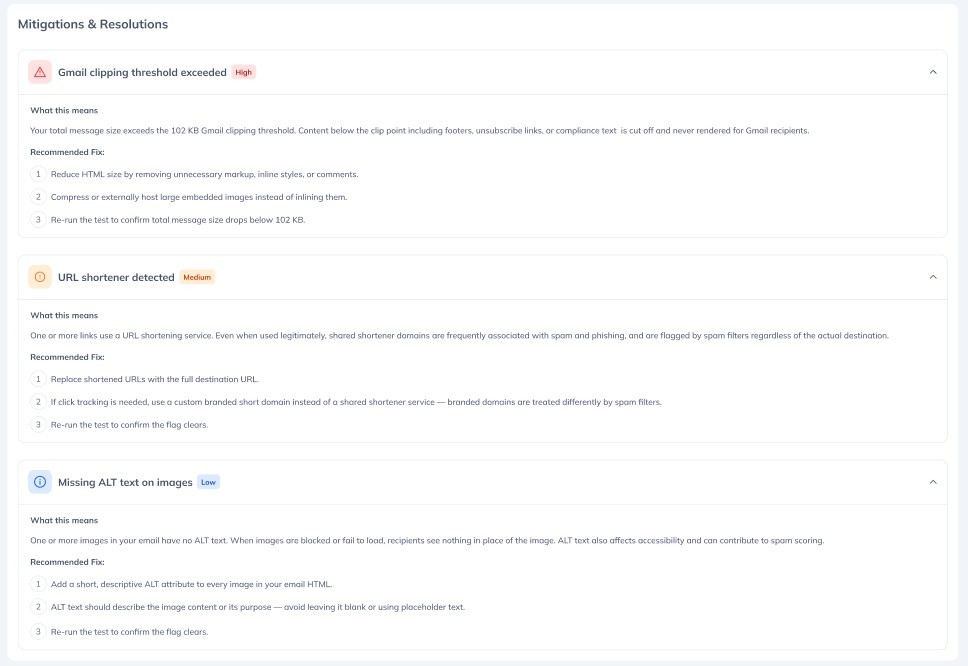
Knowing where your email landed is only half the answer. The Inbox Placement Analyzer now analyses the content of every test email and tells you why it may be contributing to its own spam classification. A new Content Analysis section appears in your test results automatically, with no configuration and no extra steps. What you can do: See a full size and structure breakdown of your message, including a warning when you cross the 102KB point where Gmail clips your email and hides everything below it Check every link in your email at a glance: HTTP status, redirect count, and whether the destination domain appears on Spamhaus DBL or SURBL Catch broken links, insecure HTTP links, URL shorteners, and excessive redirect chains before you send to your full list See how your HTML renders across Gmail, Outlook, Apple Mail, Yahoo Mail, Samsung Email and more, with every unsupported element named alongside the clients that do not support it Get advisory flags for content-level spam signals: trigger words, shouty subject lines, misleading Re: and Fwd: prefixes, personalization tokens left unmerged, hidden text, JavaScript, form elements, and missing plain text alternatives Be alerted to risky attachment types and sizes before they reach a spam filter Find every content issue in the same prioritized Mitigation & Resolution list as your authentication and placement issues, each with a plain-language explanation and a step-by-step fix Link checking uses HTTP HEAD requests rather than GET, and unsubscribe links are never fetched at all. Your click-tracking metrics stay clean and no unsubscribe is ever triggered by a test. Looking for a numeric spam filter score? Reputation Monitoring covers that, and is now cross-linked directly from the Content Analysis section.