Security Health Alerts: Proactive Monitoring for Your Domain Setup
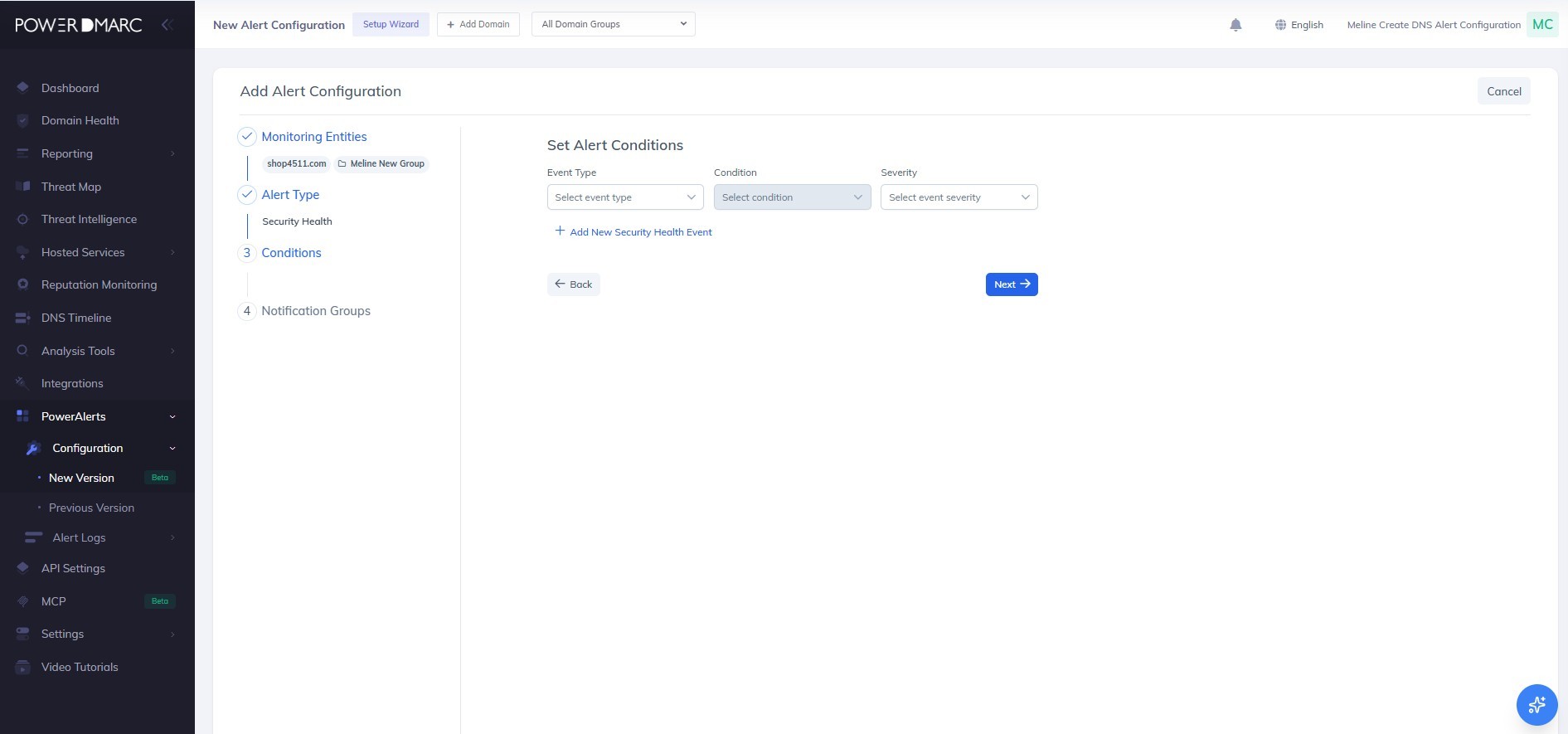
A Dedicated Category for Domain Wellness To help you maintain a resilient security posture, we have introduced a new alert category to our platform: Security Health Alerts. While our existing triggers focus on active email volume anomalies or direct DNS modifications, this new category is dedicated entirely to proactive configuration health. It helps you catch lingering vulnerabilities and countdown-based validity risks before they escalate into communication issues. Address Cryptographic Weaknesses and Expiring Certificates The initial rollout of Security Health Alerts targets two critical infrastructural vulnerabilities that often fly under the radar: weak cryptographic keys and expiring brand assets. By tracking these background variables automatically, your IT and compliance teams no longer need to run manual audits to ensure your core domain configurations remain robust. Initial Monitoring Capabilities DKIM 1024-bit Key Size Tracking: Legacy 1024-bit DKIM keys are cryptographically weak and expose your organization to spoofing risks. The system now automatically identifies if an active DKIM key associated with a monitored domain relies on this weak structure, allowing you to upgrade to a more secure 2048-bit standard. BIMI Certificate Expiration Windows: A visual brand identity relies on valid Verified Mark Certificates (VMCs). To prevent sudden brand-indicator dropouts, you can now set proactive alert triggers at specific countdown milestones: 90, 60, 30, or 10 days prior to certificate expiration. What You Can Do Build Multi-Threshold Rules: Mix and match rules within a single configuration. For instance, you can add an Informational alert at the 90-day BIMI expiration mark and pair it with a Critical alert at the 10-day mark. Review Automated Plain-Text Summaries: The conditions step includes a live summary panel that translates your active rules into straightforward English descriptions so you can verify your alert logic at a glance. Isolate Logs with a Dedicated Tab: Track historical security events via the new Security Health Alerts tab inside your central log panel. You can easily sort incidents by domain, event type, severity, or current resolution state. Dig into the Details: Look at deep context fields inside your logs. For DKIM alerts, the log instantly reveals the specific selector name hosting the weak key; for BIMI alerts, it outlines the exact certificate expiration date. Getting Started Setting up these rules follows the familiar 4-step alert configuration wizard: Step 1 (Monitoring Entities): Select the domains or domain groups you want to watch. Step 2 (Alert Type): Select Security Health from the type dropdown menu. Step 3 (Set Conditions): Pick your event type, select your target trigger value, assign a severity level, and add additional rows if needed. Step 4 (Notification Groups): Choose the team members who should receive the alerts and save your changes. This upgrade integrates directly with your existing summary bars and stacked bar charts, providing a more comprehensive view of your domain security environment.